1
Create an account
Register your MenuHang account and log in to your dashboard.
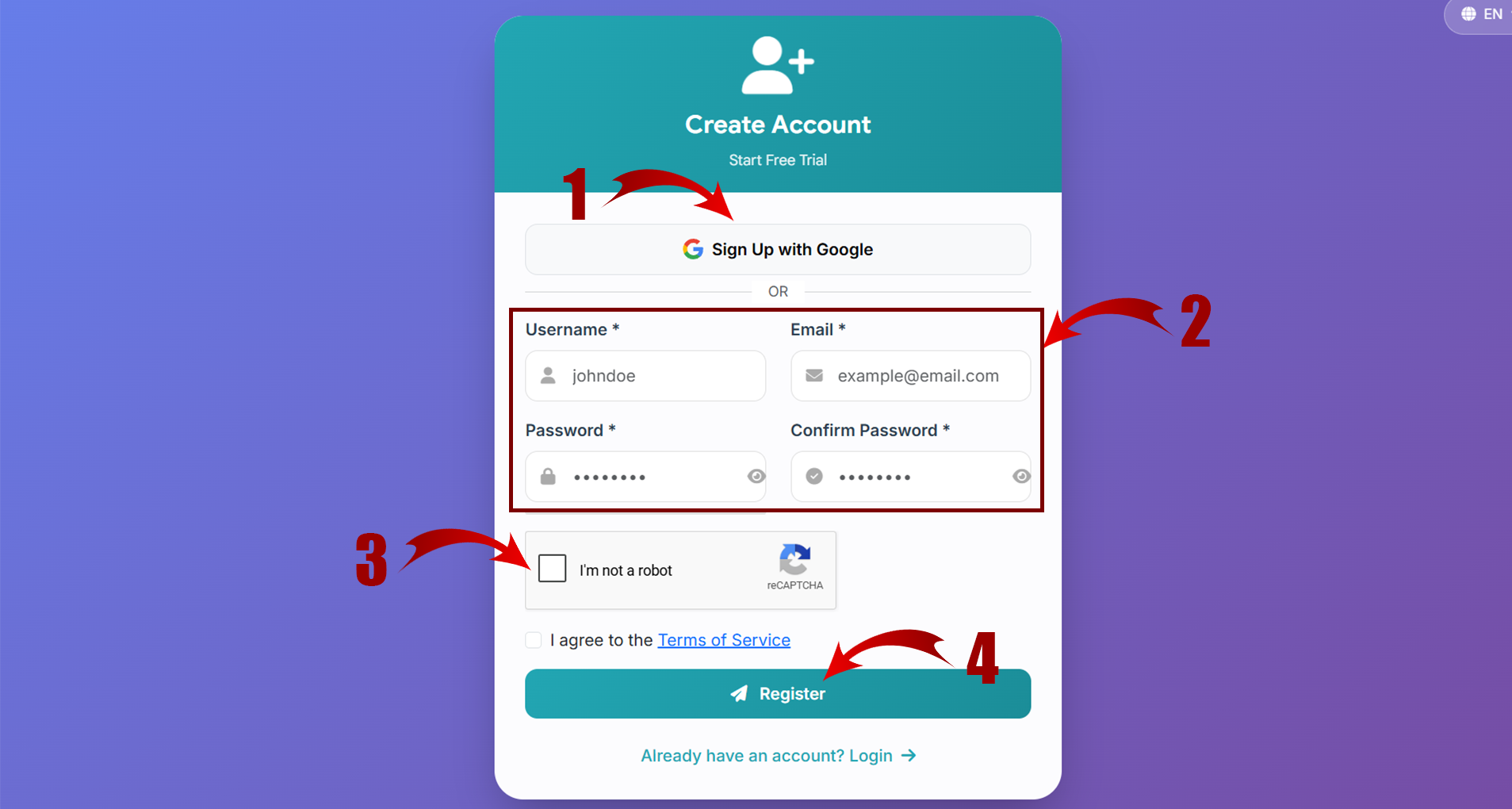
Follow this guide to create your shop, add your menu, and share your digital menu with customers.
Register your MenuHang account and log in to your dashboard.
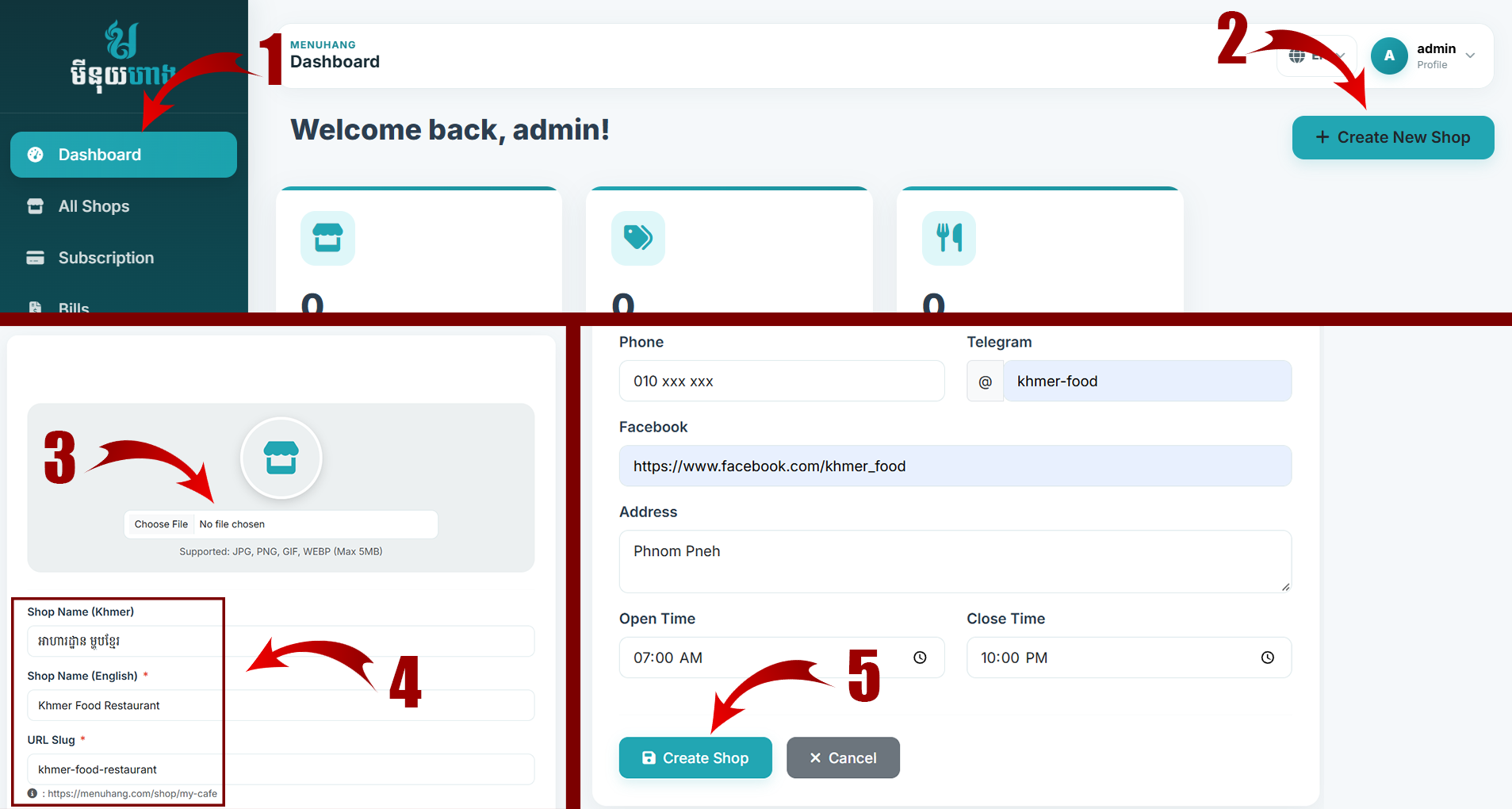
Open Create Shop, enter your restaurant or business information, upload your logo, and save your shop.
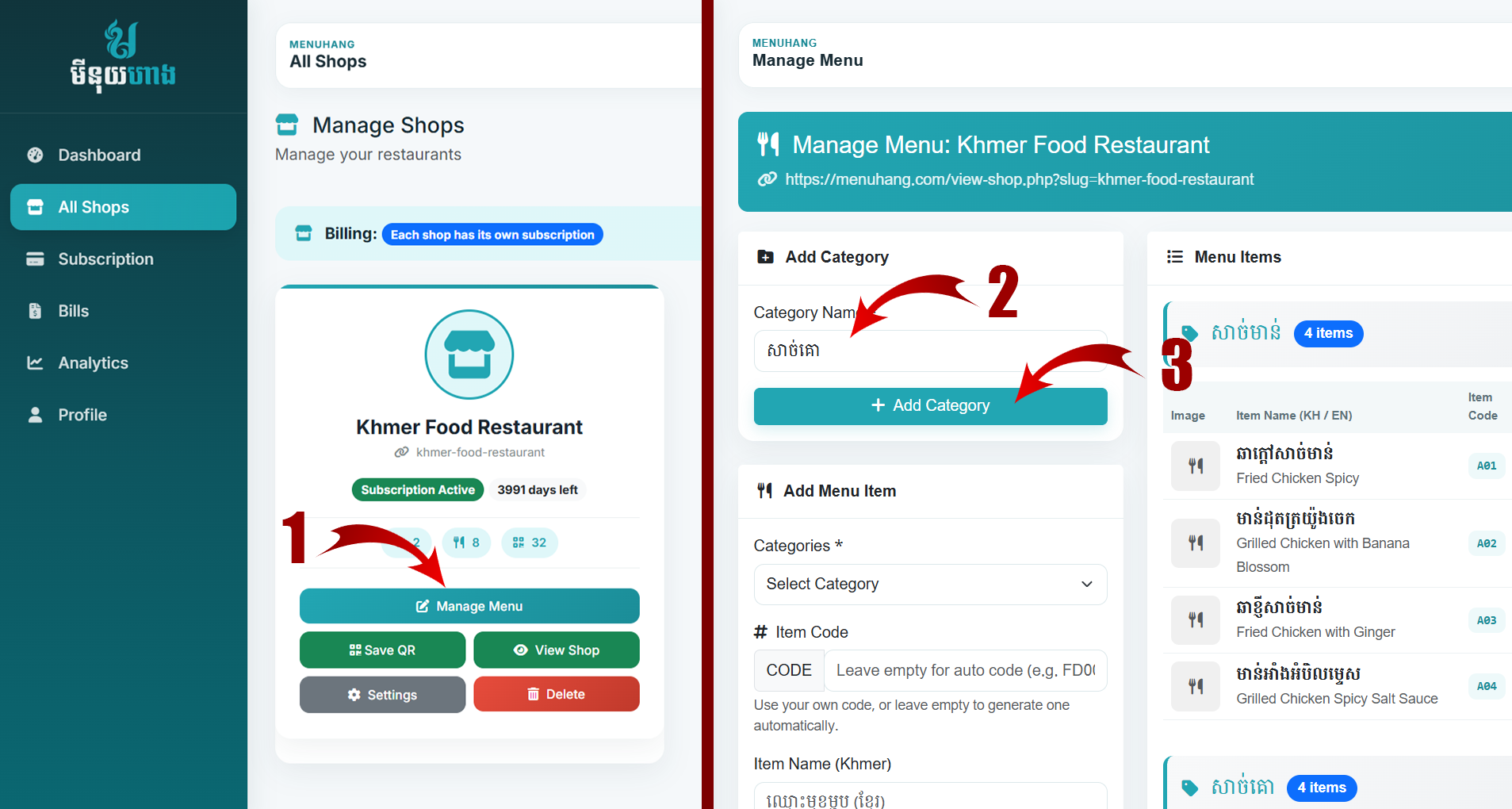
Create categories such as Food, Drinks, Coffee, Desserts, or other categories that match your menu.
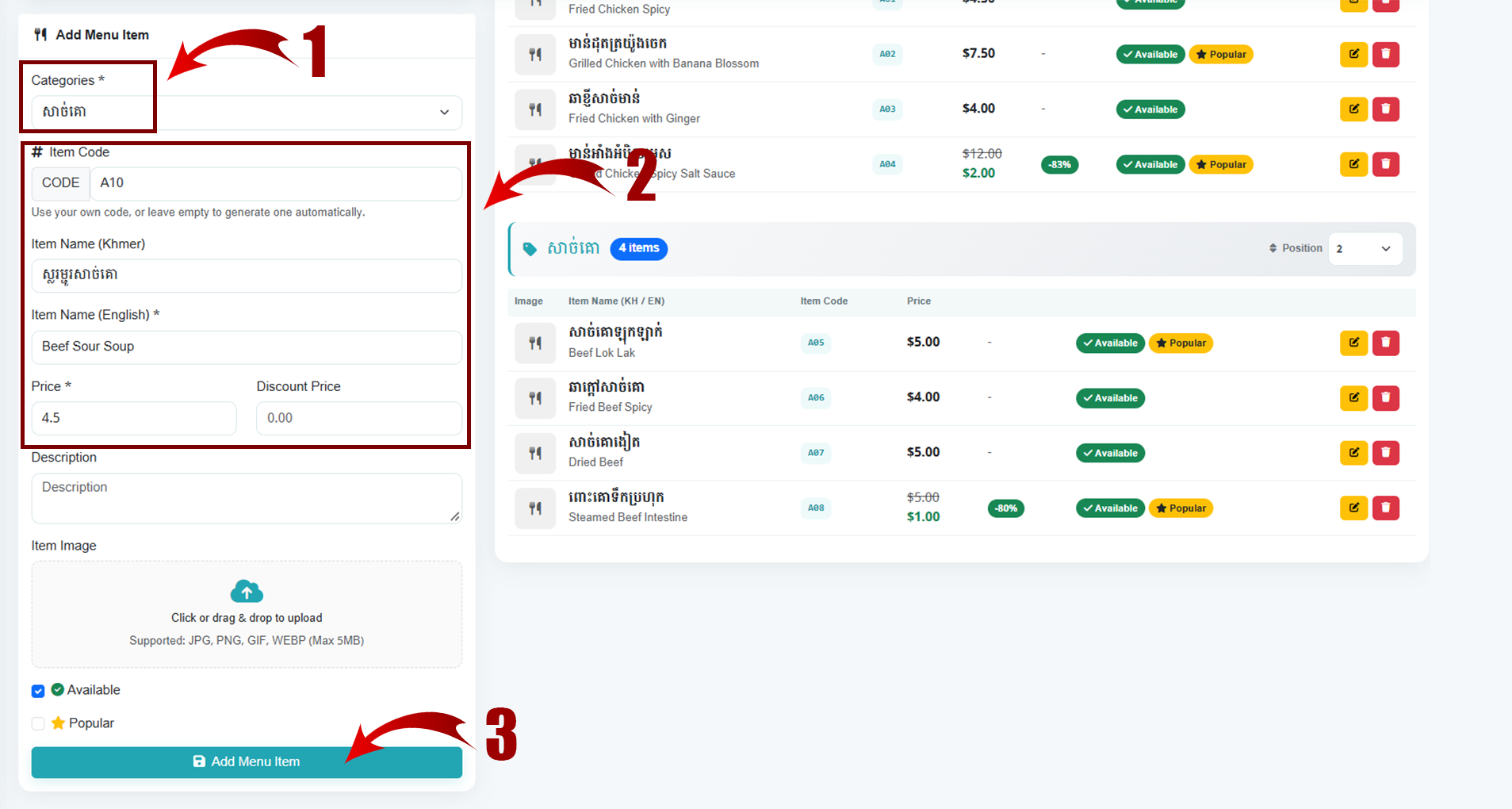
Add the item name, price, photo, description, category, and other information. Save the item when finished.
Open your public shop menu and check the menu on mobile and desktop before sharing it with customers.
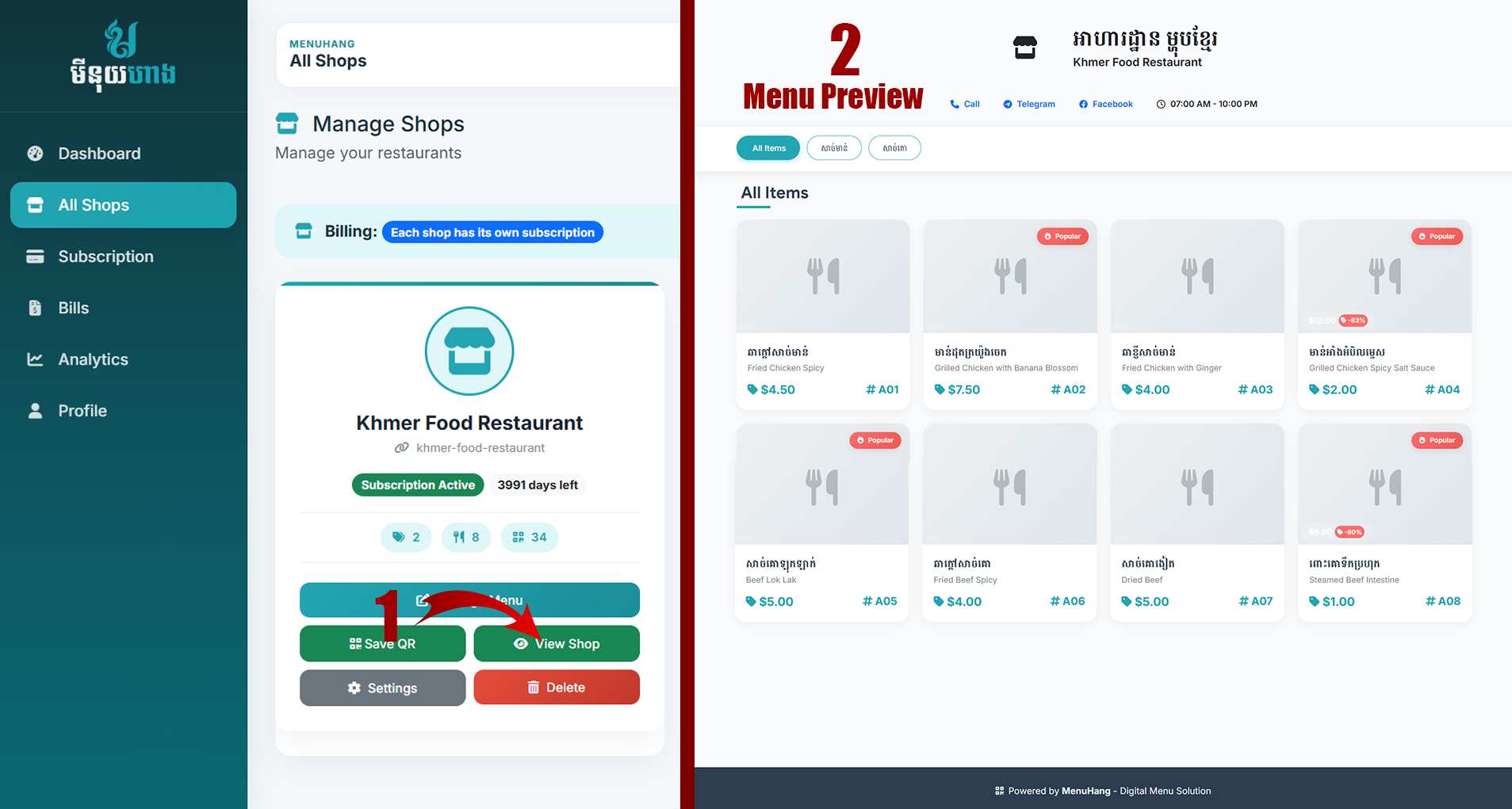
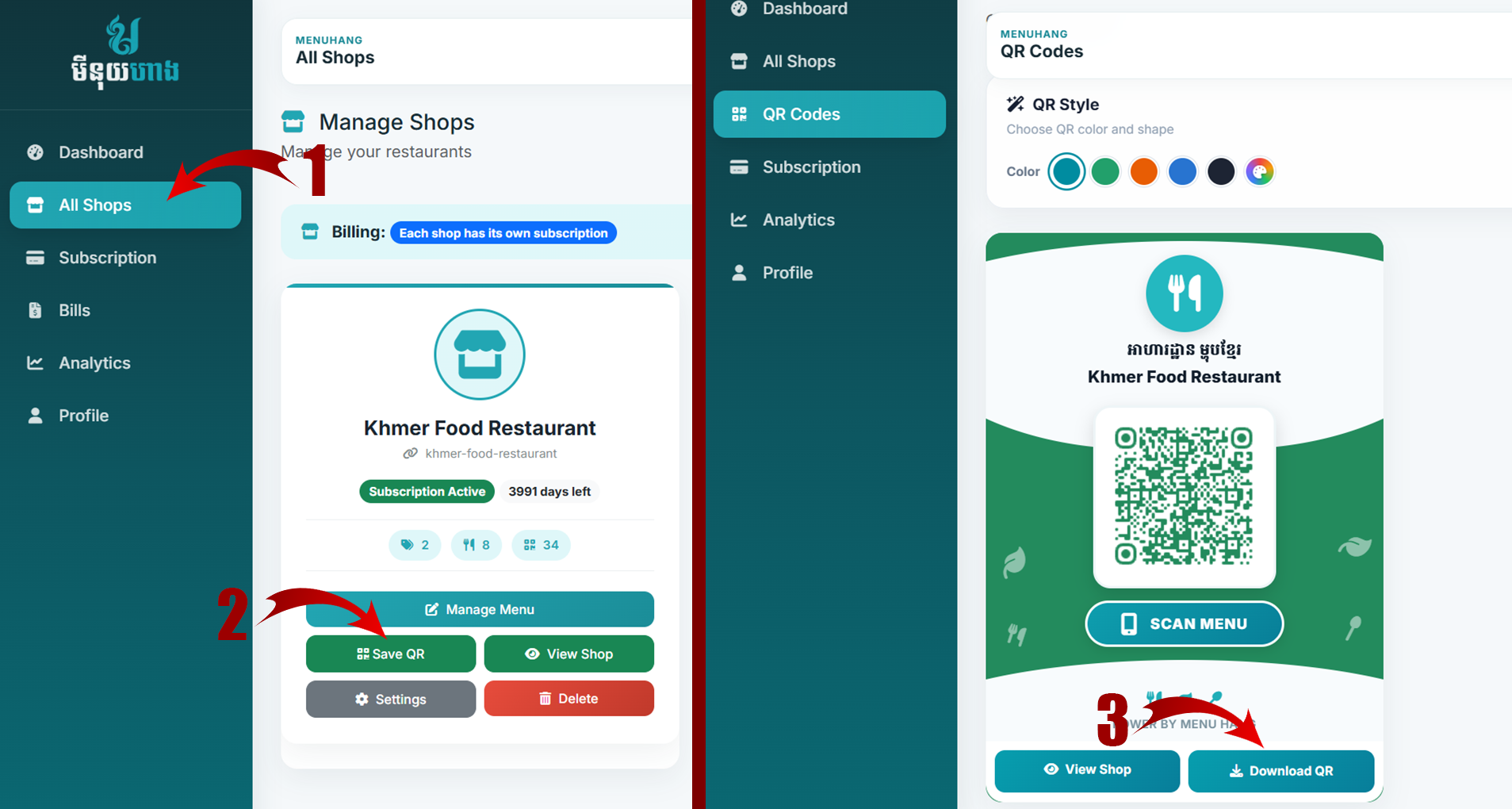
Open your shop QR code, download it, and place it on tables, counters, posters, or other customer touchpoints.
Start creating your digital menu and share it with your customers.